Calibration is peformed at time of manufacturering using a specialized device called a spectrometer.
It is not necessary to re-calibrate your system unless directed to do so by a Konan support specialist, or if the verification fails.
Every 30 days, your ColorDx® CCT HD® software will remind you to VERIFY the calibration. Customers only need to run the calibration VERIFICATION at this time.
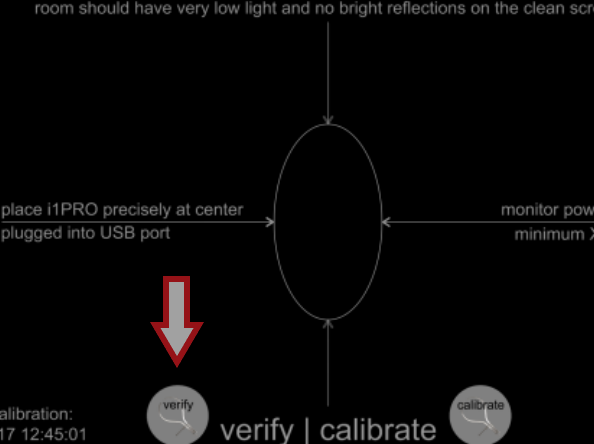
When running the calibration verification, please ensure the X-Rite calibration tool's lid is flipped open before placing it on the screen.
This is the most common cause for screen calibration failures.
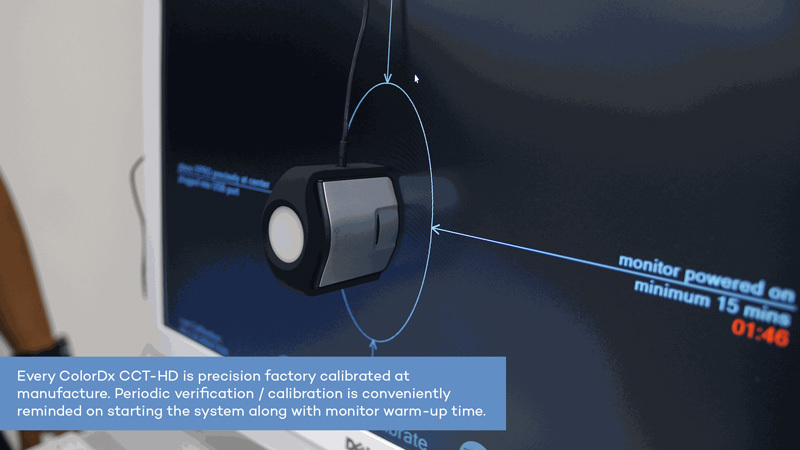
Additional tips for successful calibration verification:
- Verify that the calibration tool is laying flat against the screen by adjusting the cable length.
- Ensure the room is dark.
- Ensure the screen brightness is set to maximum.
- If using a laptop, ensure the power supply is plugged in to prevent any power saving settings from interferring.
NOTE: If you have recently upgraded your computer to Windows 11, this may be interferring and the PC should be rolled back to Windows 10 as soon as possible, as the ability to do so is only available for a short while. Please see our guide on Windows upgrades for ColorDx® here.
After verifying the lens is properly installed and following the tips above, if you are still having trouble with your calibration verification, please do not hesitate to reach out to our support team via one of the methods below.
Make sure to have your computer's serial number or service tag available to better help us assist you.
Konan Medical USA
Customer Service and Technical Support:
Phone: +1 (949) 576 – 2255
Email: support@konanmedical.com
Web: konanmedical.com/helpdesk